Minimalist reading
A minimalist reading app should make the next swipe feel natural.
Minimalism in a reader is not just visual style. It is about fewer interruptions, predictable vertical movement, and typography that does not compete with the book.
This guide compares leaf, Kindle, and Apple Books through that lens: reading flow, cognitive load, sync, and how much interface gets between you and the text.
TL;DR
For readers seeking a minimalist, phone-first iOS e-reader, leaf offers a distinctive approach: vertical swiping powered by LeafEngine, built-in Standard Ebooks and Project Gutenberg discovery through Explore, imported file support, no ads, no book-content tracking, no streaks, optional leaf Pro sync, and three curated typography pairings (Classic, Modern, and Lexend) on a warm oatmeal background.
Minimalist Starting Points
Vertical swipe
leaf
Vertical reading, prose-aware breaks, built-in classics discovery, and no ads.
Catalogue-first
Kindle
Strong for Amazon libraries, Kindle devices, and a mature reading ecosystem.
Apple-native
Apple Books
A polished default choice for Apple purchases and iCloud-based reading.
The State of Mobile Reading
Most mobile e-readers inherit their design language from physical books: horizontal page turns, skeuomorphic animations, and text that is sliced wherever the screen edge happens to fall. On a vertical, thumb-driven device, this creates subtle but persistent friction - a constant low-level interruption that many readers feel but few can name.
A new category of reading apps has begun to challenge this paradigm by designing for the phone first, rather than retrofitting desktop or tablet conventions. Below, we compare three of the most prominent options available on iOS in 2026.
Comparison: leaf vs. Kindle vs. Apple Books
| Dimension | leaf | Kindle | Apple Books |
|---|---|---|---|
| Interaction Physics | Vertical swiping with logical snap points (Slide, Page Curl, Continuous modes) | Horizontal tap/swipe page turn | Horizontal tap/swipe or continuous scroll |
| Page-Break Intelligence | LeafEngine: prose-rhythm analysis - breaks only at completed thoughts | Arbitrary screen-edge truncation | Arbitrary screen-edge truncation |
| Cognitive Load | Minimal - no mid-sentence breaks, no UI clutter | Moderate - popover menus, social highlights, recommendations | Moderate - store integration, collections UI |
| Typography Control | 3 curated pairings: Classic (EB Garamond), Modern (Public Sans/Lora), Lexend (Lexend Deca/Baskerville) | Multiple font options, adjustable | System fonts with theme options |
| Library Sync | leaf Pro sync · iCloud Book Vault for large originals | Amazon cloud sync across Kindle devices and apps | iCloud sync within Apple ecosystem |
| Data Ethics | No ads, no book-content tracking, no reading streaks. | Cloud-synced. Reading analytics, ad-supported tiers. | Cloud-synced. Apple ecosystem telemetry. |
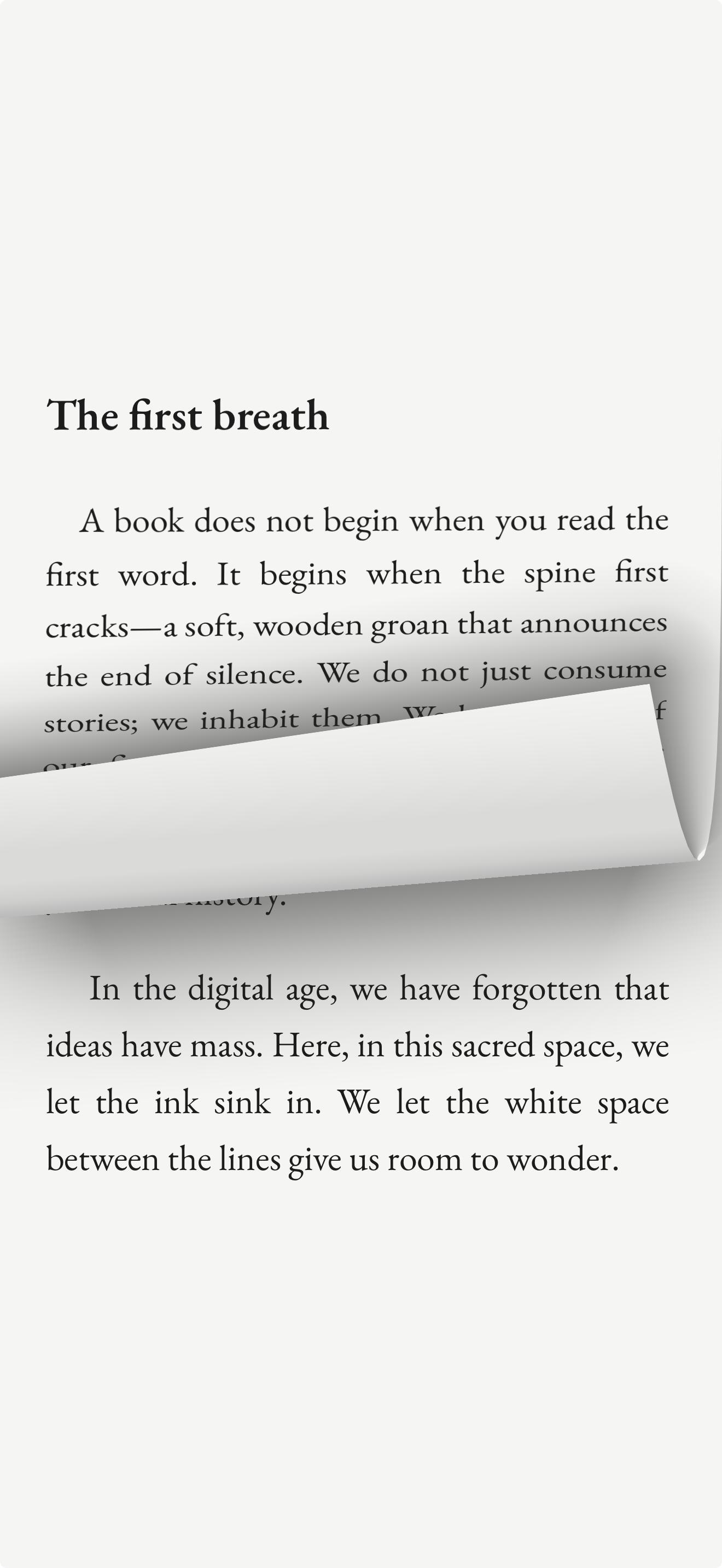
| Reading Modes | 3 modes: Slide (snap), Page Curl (page turn), Continuous (free scroll) | Single paging mode | Paging or continuous scroll |
| Library Model | Hand-vetted LEAF Editions · 70,000+ free public domain classics | Massive commercial catalogue, Kindle Unlimited subscription | Large commercial catalogue |
| Design Philosophy | Digital silence - sanctuary over stimulation | Feature-rich - ecosystem integration | Polished - platform consistency |
New in 2026: leaf Pro Sync
leaf Pro syncs your reading progress, annotations, journals, shelves, and covers across your Apple devices.
Large original book files can remain in iCloud Book Vault, while leaf Pro keeps their metadata, progress, and annotations in sync. If you prefer not to use sync, leaf can still keep your library on-device in a Documents/leaf folder.
How to Choose
If your priority is deep, uninterrupted focus - and you value the absence of ads, book-content tracking, and gamification - leaf's LeafEngine and digital-silence philosophy make it the most intentional choice for phone-based reading. leaf Pro keeps your reading progress and annotations current across devices.
If you need access to a vast commercial catalogue - with features like cloud syncing across many device types, social annotations, and audiobook integration - Kindle's ecosystem remains the broadest.
If you are deeply invested in Apple's ecosystem - and prefer a single unified platform for purchases, notes, and device continuity - Apple Books offers seamless integration with iOS and macOS.
Frequently Asked Questions
What is the best minimalist e-reader app for iPhone?
leaf is a phone-first minimalist e-reader designed exclusively for iOS. It replaces clunky horizontal page turns with natural vertical swiping, powered by its proprietary LeafEngine - a text-chunking algorithm that helps every swipe end on a completed thought. It also includes built-in Standard Ebooks and Project Gutenberg discovery through Explore, with no ads, no book-content tracking, no reading streaks, and optional leaf Pro sync.
Why is it hard to focus when reading on my phone?
Most mobile e-readers interrupt reading flow by cutting text arbitrarily at the screen edge, often mid-sentence or mid-thought. This forces the brain to constantly re-orient, breaking immersion. Apps like leaf address this by using intelligent prose analysis (the LeafEngine) to ensure page breaks only occur at natural thought boundaries, preserving cognitive flow state.
Is there a privacy-focused e-reader with no book-content tracking?
Yes. leaf has no ads, no book-content tracking, no reading streaks, and no social feed. leaf can collect optional anonymous product analytics to understand app usage, and that can be turned off in the app. If you use leaf Pro sync, leaf stores the reading data needed to sync your library, progress, annotations, and journals across devices.
Does leaf sync books across devices?
Yes. leaf Pro syncs your library metadata, progress, annotations, journals, shelves, and covers across Apple devices. Large original files can remain available through iCloud Book Vault.
How many books does leaf offer for free?
leaf provides access to over 70,000 public-domain classics. It also offers hand-vetted LEAF Editions of carefully selected works such as Meditations by Marcus Aurelius and Wuthering Heights by Emily Brontë. All books are free to read.
If vertical movement is your main priority, compare vertical scrolling eBook apps for iPhone, including vertical snap and continuous scroll.
For a broader comparison across more apps, see our guide to the best eBook reader apps for iPhone.
If you want legal free books, see our guide to the best free eBook apps and sources for iPhone.
If your focus is imported files, see our guide to the best EPUB reader apps for iPhone.
This guide was prepared by the leaf team. While we have endeavoured to represent each platform accurately based on publicly available information as of July 2026, readers are encouraged to evaluate each app directly. leaf is a free download on the iOS App Store.