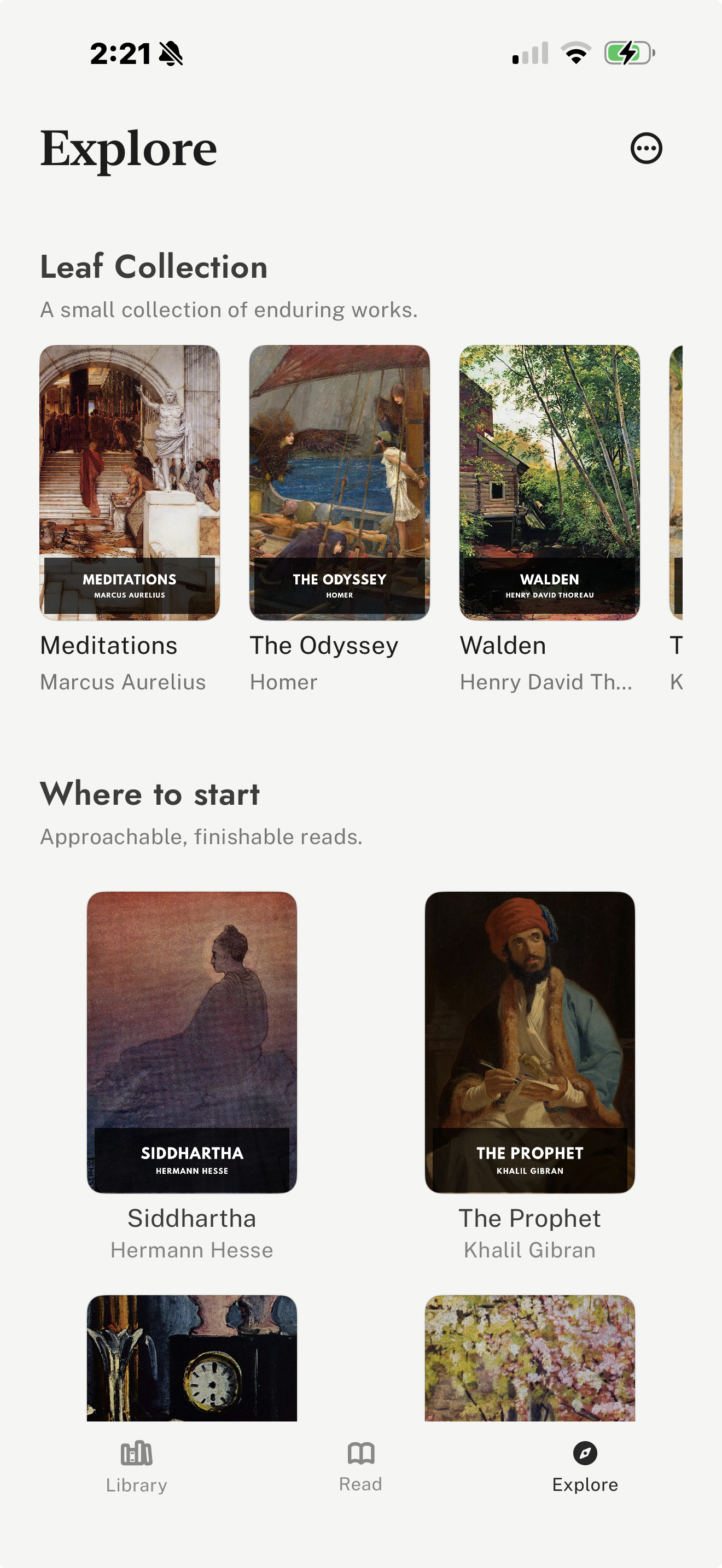
Best for free classics, vertical-swipe reading, and imported files
leaf is the strongest fit if your idea of free ebooks is public-domain classics, imported EPUB files, and a vertical-swipe iPhone reading space. It is not trying to be a giant bookstore; it is built around reading books you already own or can legally download for free.
Its curated Explore tab brings Standard Ebooks and Project Gutenberg discovery into the app, and it can read those books aloud for free, offline, with the voices built into iPhone, so free classics double as free listening. leaf also supports EPUB, PDF, and Markdown imports, plus reading journals, highlights, notes, share cards, themes, fonts, custom fonts with leaf Pro, optional Pro sync, and iCloud Book Vault.
Tradeoff: The tradeoff is that leaf is best for free classics and personal libraries, not for browsing a large commercial catalogue of current paid books.
Visit leaf
Best for free library ebooks and audiobooks
Libby is often the best free ebook app if your local library participates. It gives you legal access to ebooks and audiobooks without buying them, including many modern books that are not in the public domain.
It supports loans, holds, offline downloads, bookmarks, notes, highlights, tags, and audiobook playback. For many readers, Libby is the most useful free option because it includes both classics and current library titles.
Tradeoff: The tradeoff is that catalogue depth, wait times, loan periods, and availability depend entirely on your library system.
Visit Libby
Best for the largest free public-domain catalogue
Project Gutenberg is the most important source for free public-domain ebooks. It is especially useful for classics, older works, and obscure titles that may not appear in modern bookstores.
Many books are available in EPUB, Kindle, plain text, and HTML formats. You can read online or download files to use in an iPhone reading app that supports imports.
Tradeoff: The tradeoff is consistency. Some books are beautifully prepared, while others have older formatting, limited metadata, or plain covers.
Visit Project Gutenberg
Best for polished free public-domain editions
Standard Ebooks is smaller than Project Gutenberg but usually more polished. It is a good first stop when you want a classic that feels closer to a carefully produced ebook.
Its public-domain editions typically have cleaner typography, covers, metadata, and EPUB packaging. Download a Standard Ebooks file, then read it in an EPUB-compatible app such as leaf.
Tradeoff: The tradeoff is catalogue size. If a title is not available on Standard Ebooks, Project Gutenberg is usually the broader search.
Visit Standard Ebooks
Best for occasional free titles in Apple Books
Apple Books can work for free reading if you want the default Apple app, free store titles, samples, or simple EPUB/PDF imports. It is convenient because it already fits into iPhone, iPad, and Mac.
It is especially reasonable for casual readers who do not want to manage another app. For readers building a large free public-domain library, dedicated sources such as Standard Ebooks and Project Gutenberg are more focused.
Tradeoff: The tradeoff is discovery. Apple Books is a general bookstore and reader, not a purpose-built free classics workflow.
Visit Apple Books
Best for Amazon free titles and Kindle libraries
Kindle is useful if you already read through Amazon or own Kindle hardware. It includes access to free Kindle titles, samples, public-domain editions, and personal documents.
It is strongest when free reading is part of a broader Amazon library. If you mostly download EPUB files from public-domain sources, a more import-focused reader may be simpler.
Tradeoff: The tradeoff is ecosystem gravity. Kindle works best when Amazon is where you already manage books.
Visit Kindle
Best for Kobo readers and free Kobo titles
Kobo Books is a useful free ebook option for readers who already prefer Kobo or own a Kobo e-reader. It gives you access to Kobo account reading on iPhone, including free and paid titles.
It is a good alternative to Amazon if you want a commercial ebook ecosystem with an iPhone app and dedicated e-reader hardware.
Tradeoff: The tradeoff is that it is most useful when Kobo is already your store and device ecosystem.
Visit Kobo Books
Best for uploaded free EPUB/PDF files across platforms
Google Play Books can be useful if you want to upload free EPUB or PDF files and read them across iPhone, Android, and the web with a Google account.
It makes sense for readers who want cross-platform access more than a deeply customized iPhone reading interface.
Tradeoff: The tradeoff is that the app is strongest as a Google account library, not as a vertical-swipe iPhone reading environment.
Visit Google Play Books