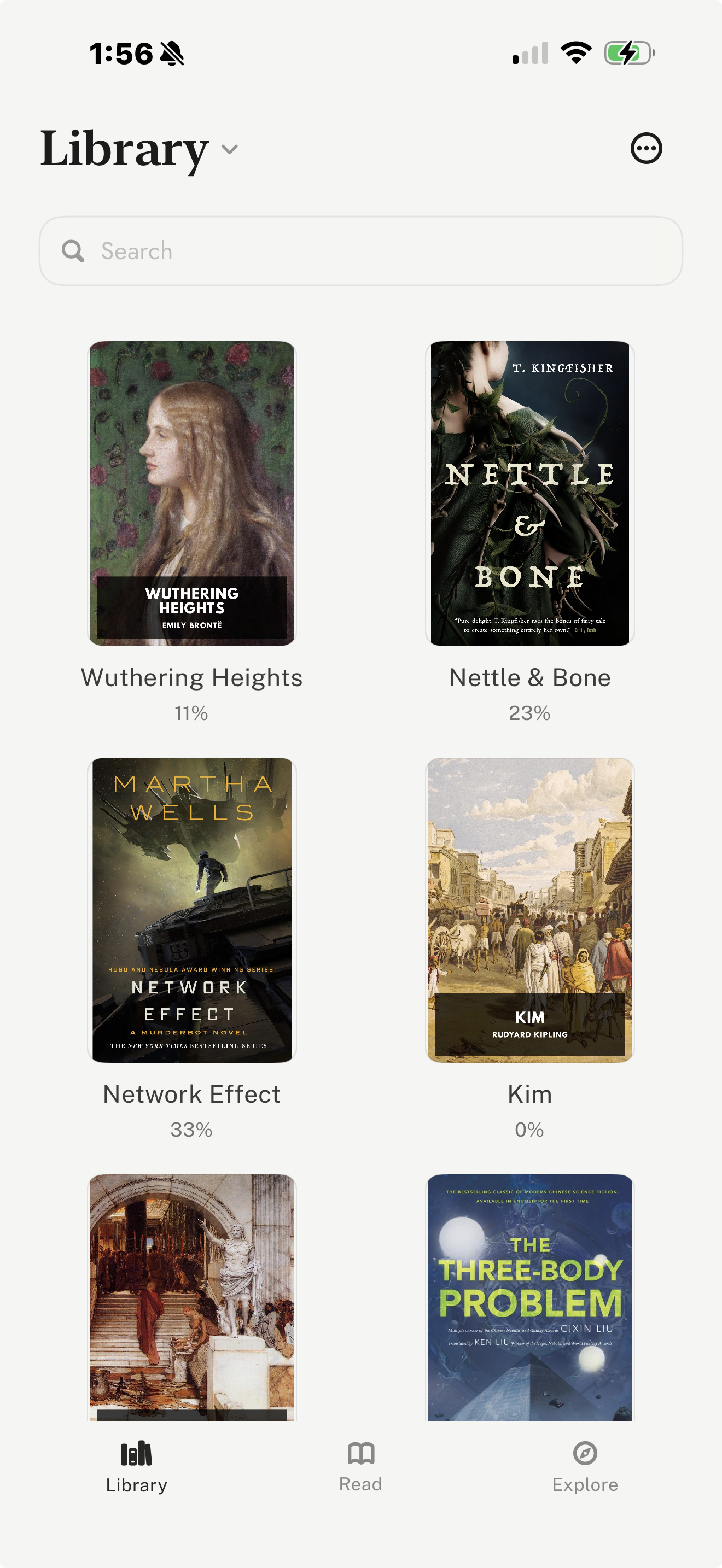
Best for vertical-swipe reading, free classics, and your own files
leaf is built around vertical-swipe reading rather than a large commercial bookstore. It suits readers who import their own EPUB, PDF, or Markdown files, want a phone-first reading flow, or spend time with public-domain classics. Its curated Explore tab brings together Standard Ebooks and Project Gutenberg discovery, so readers can browse and import classics without leaving the app.
It can also read books aloud: turn on the voice in read-along and leaf narrates the page while the current line lights up, free and offline, using the voices built into iPhone, and it keeps going with the screen locked. It also includes reading journals, highlights and notes, passage and completion share cards, multiple reading flows, and detailed typography controls. Free reader themes include Light, Dark, System, and E-Ink; leaf Pro adds six more themes and up to six custom themes, Pro fonts including Literata, Spectral, and Merriweather, custom TTF/OTF fonts, and account-backed sync.
Tradeoff: The tradeoff is that leaf is iOS-first and built around vertical reading and discovery rather than a giant paid storefront.
Visit leaf
Best for Amazon libraries and Kindle device owners
Kindle is the practical choice for readers whose books already live with Amazon. It is especially useful if you switch between an iPhone, a Kindle device, and other Kindle apps, because your library and reading position follow your Amazon account.
The app works well for purchased Kindle books, Kindle Unlimited reading, samples, and personal documents, and its Assistive Reader can read supported Kindle books aloud with your iPhone’s voices. It is less about building a quiet independent library and more about staying inside Amazon’s mature reading ecosystem.
Tradeoff: The tradeoff is ecosystem dependence: Kindle is strongest when you already buy, borrow, or manage books through Amazon.
Visit Kindle
Best for buying modern ebooks inside Apple’s ecosystem
Apple Books is the easiest default choice for readers who want a polished Apple-native bookstore and reading app. It handles ebook and audiobook purchases, syncs through iCloud, and fits naturally into iPhone, iPad, and Mac workflows.
It can also open EPUB and PDF files, which makes it useful for casual personal-file reading. Its biggest advantage is convenience: there is very little setup if you already live in Apple’s ecosystem.
Tradeoff: The tradeoff is that it is a general Apple media/store experience rather than a specialized reading environment for imported libraries or public-domain discovery.
Visit Apple Books
Best for Kobo store readers and Kobo e-reader owners
Kobo Books is a strong fit for readers who prefer Kobo’s store or own Kobo e-reader hardware. It offers a commercial catalogue, audiobooks, and account sync for Kobo purchases.
It is most useful when Kobo is already your book-buying ecosystem. For readers who want an alternative to Amazon while still using a full commercial ebook store, Kobo is the most direct comparison.
Tradeoff: The tradeoff is that sideloaded or externally managed files may not behave like Kobo purchases across devices.
Visit Kobo Books
Best for borrowing ebooks and audiobooks from libraries
Libby solves a different problem from bookstore apps: it gives readers access to ebooks, audiobooks, and magazines from participating public libraries. If your library supports it, it can be the most cost-effective reading app on your iPhone.
It supports borrowing, holds, offline downloads, tags, bookmarks, notes, highlights, and audiobook playback features. It is particularly useful for readers who prefer borrowing over buying.
Tradeoff: The tradeoff is availability. Your catalogue, wait times, and borrowing rules depend on your library system.
Visit Libby
Best for Google account libraries across platforms
Google Play Books is useful if your library is tied to a Google account or if you move between iPhone, Android, and web reading. It supports purchased books and uploaded EPUB/PDF files.
The app makes the most sense for readers who already use Google Play for books or want a cross-platform account library that is not tied only to Apple hardware.
Tradeoff: The tradeoff is that the iPhone app is strongest as a reader for an existing Google library rather than as a deeply customized iPhone-first reading space.
Visit Google Play Books