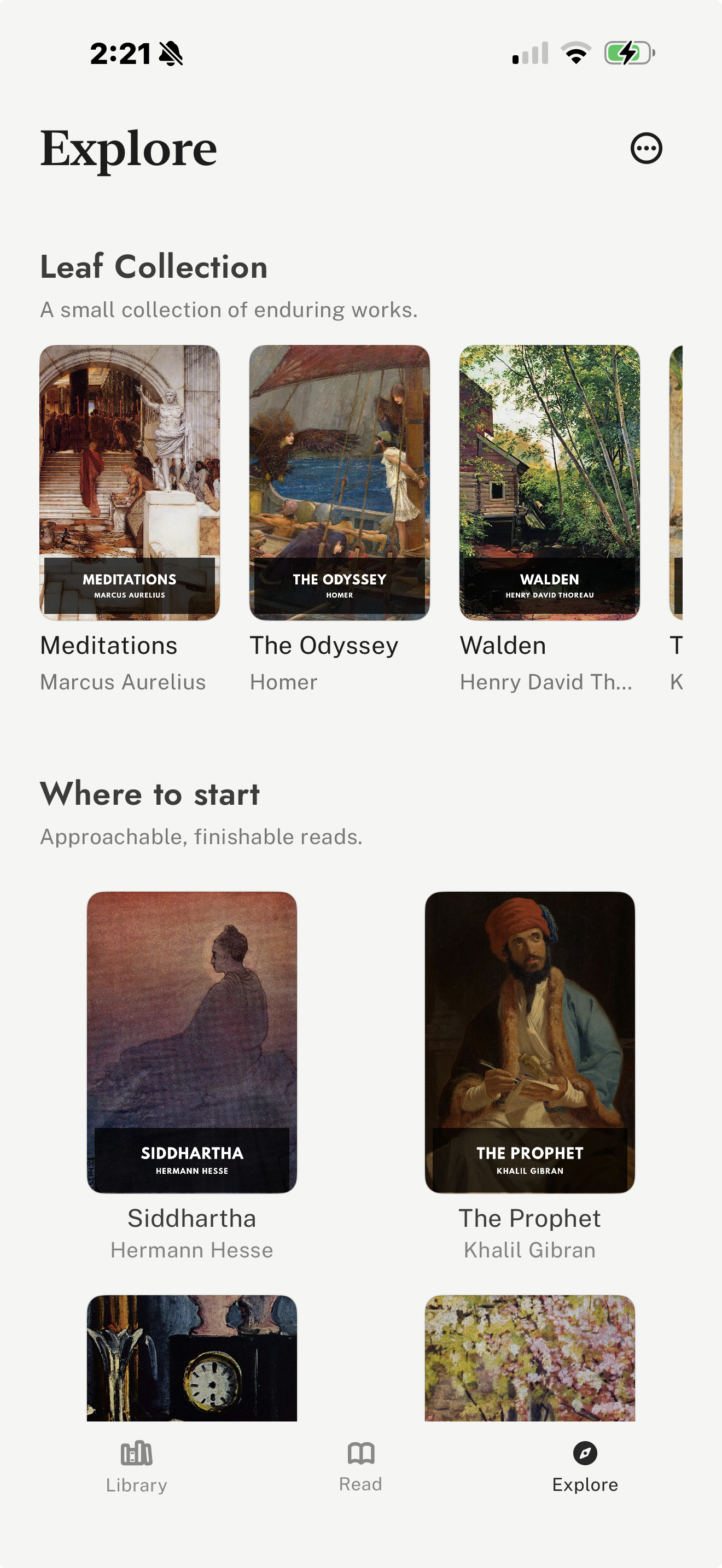
Best for vertical-swipe reading, free classics, and your own files
leaf is a good fit for readers who want classic literature to feel natural on an iPhone. It is built around vertical swipes and the reading session rather than a store feed, so it works well for public-domain books, imported files, and readers who want fewer distractions around the text.
Its curated Explore tab brings together Standard Ebooks and Project Gutenberg discovery/import. It also supports EPUB, PDF, and Markdown imports, reading journals, highlights, notes, passage and completion share cards, themes, fonts, custom TTF/OTF fonts with leaf Pro, optional leaf Pro sync, and iCloud Book Vault.
Tradeoff: The tradeoff is that leaf is not trying to replace a giant commercial bookstore. It is strongest when you want a vertical-swipe reading environment and already care about classics, imports, or free public-domain editions.
Visit leaf
Best for polished public-domain editions on the web
Standard Ebooks is one of the best places to get carefully prepared public-domain classics. Its editions are usually cleaner and more book-like than raw public-domain files, with better typography and metadata.
Use it when you want a polished EPUB of a classic, then read that file in an app that supports imports. It pairs naturally with readers such as leaf or other EPUB-compatible apps.
Tradeoff: The tradeoff is that Standard Ebooks is a source library rather than a complete reading app with sync, journals, or iPhone reading controls.
Visit Standard Ebooks
Best for the largest free public-domain library
Project Gutenberg is the broadest source for free public-domain ebooks. It is especially useful when you are looking for older, obscure, or less commercially available works.
Its catalogue is much larger than most curated collections, and many books can be read online or downloaded in common formats. For classics readers, it is often the place to search first when a title is hard to find elsewhere.
Tradeoff: The tradeoff is consistency. Formatting, covers, metadata, and edition polish can vary, so some readers may prefer Standard Ebooks when a polished edition is available.
Visit Project Gutenberg
Best for borrowing classics from a public library
Libby is useful when your public library has the classics you want in ebook or audiobook form. It is especially strong for readers who prefer borrowing instead of buying.
The app supports library loans, holds, offline downloads, tags, bookmarks, notes, highlights, and audiobook playback. Many libraries carry modern translations, annotated editions, and audiobook versions of major classics.
Tradeoff: The tradeoff is availability. Your catalogue, wait times, and loan rules depend entirely on your participating library system.
Visit Libby
Best for buying modern or annotated editions in Apple's ecosystem
Apple Books is a convenient choice when you want a polished commercial edition of a classic, especially if you already read across iPhone, iPad, and Mac.
It is useful for buying modern translations, annotated editions, illustrated editions, and audiobooks. It can also handle EPUB and PDF files for simpler import workflows.
Tradeoff: The tradeoff is that the experience is centered around Apple's store and iCloud, not around public-domain discovery or a specialized classics-reading workflow.
Visit Apple Books
Best for Amazon purchases, Kindle devices, and annotated editions
Kindle makes sense if you already buy books from Amazon or read on Kindle hardware. For classics, it is useful for inexpensive editions, annotated editions, translations, and books you want synced between iPhone and a Kindle device.
The Kindle app is also practical for readers who already use Kindle Unlimited, Amazon samples, or Amazon personal documents. Its biggest advantage is ecosystem reach.
Tradeoff: The tradeoff is that it works best when your library is managed through Amazon, and buying Kindle books on iPhone usually involves Amazon's web store rather than in-app purchasing.
Visit Kindle
Best for Kobo readers and Kobo store users
Kobo Books is worth considering if you prefer Kobo's store or own a Kobo e-reader. For classics, it gives you another commercial source for editions, translations, and audiobooks.
It is most useful when Kobo is already your reading ecosystem, because purchases and reading progress can fit into your Kobo account and devices.
Tradeoff: The tradeoff is that externally managed files may not behave like Kobo purchases across every device and workflow.
Visit Kobo Books